Revolut has become one of the most popular business accounts in the UK. Multi-currency support, instant payments, slick app. Their PDF statements, however, present some unique parsing challenges.

Like most banks, Revolut includes a balance summary at the top:
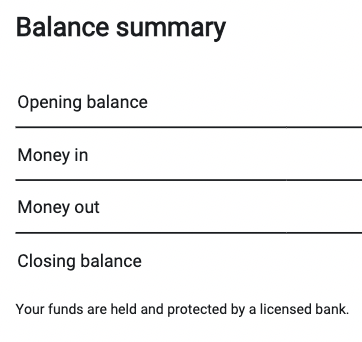
Opening balance. Money in. Money out. Closing balance. Standard stuff. But that's where the simplicity ends.
Multiple Currencies, One PDF
Here's where Revolut gets interesting. Most UK banks give you one statement per account. One account, one currency, one PDF.
Revolut doesn't work that way. A single statement can contain multiple currency accounts. GBP, EUR, USD - all in the same document.
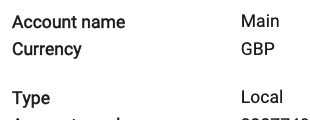
Scroll down the same PDF and you'll find another section:

In effect, they're merging multiple traditional bank statements into a single file. For users, it's convenient - one download instead of three. For parsers, it's a headache.
You can't just extract all transactions and dump them into one spreadsheet. You need to track which currency each transaction belongs to, where one account ends and another begins, and keep the balances separate.
Reverse Chronological Order
Most bank statements show transactions from oldest to newest. January at the top, December at the bottom. Running balances make sense in that direction - you start with an opening balance and add or subtract each transaction.
Revolut does the opposite. Newest transactions first. The most recent activity appears at the top of each section.
This isn't wrong, just different. But if your parser assumes chronological order, the running balances won't make sense. You need to detect the order and handle it accordingly.
The Disappearing Headers (Again)
Like Starling, Revolut only shows column headers on the first page of each section. Page one has the full table structure:
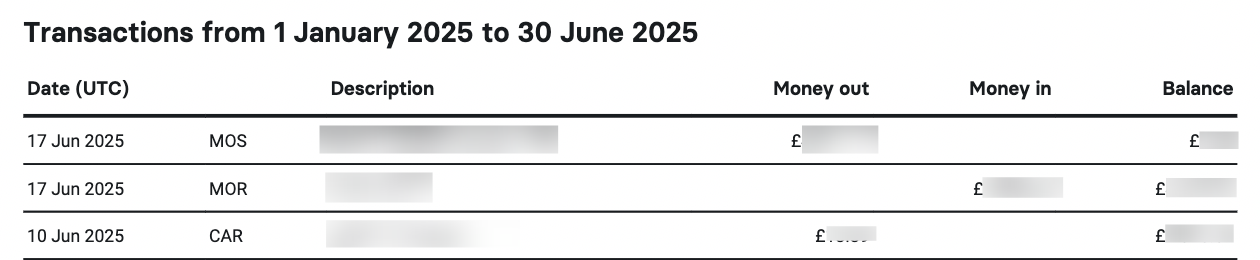
Date (UTC). Description. Money out. Money in. Balance. Clear enough.
But subsequent pages? Just data:

No column labels. If you're processing page by page, you need to remember the structure from earlier. And since Revolut statements can have multiple currency sections, each with their own headers that then disappear, you need to track context for each section independently.
Putting It Together
A Revolut statement parser needs to:
- Detect currency section boundaries
- Track which account each transaction belongs to
- Handle reverse chronological order
- Maintain header context across pages within each section
- Output separate transaction lists per currency, or clearly label mixed output
None of these are impossible. But a generic PDF-to-Excel tool won't handle them. You need Revolut-specific logic.
That's what we built. Upload a multi-currency Revolut statement and get clean, separated output with each transaction correctly attributed to its currency account.
Got a Revolut Statement?
Multi-currency, single currency - we handle both. First conversion free.
Convert a Statement