Starling is one of the UK's digital challenger banks. Modern app, modern branding, modern everything. You'd expect their PDF statements to be straightforward.

They're not.
To their credit, Starling statements do include a clean summary section at the top:
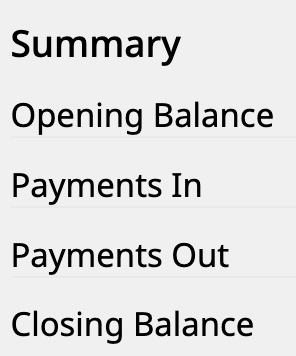
Opening Balance. Payments In. Payments Out. Closing Balance. Simple and clear. But scroll past that summary and things get interesting.
Landscape Mode
Starling statements come in landscape orientation. Wide, not tall.
This sounds like a minor detail until you realise what it means for page count. A landscape page fits fewer transactions than a portrait page. A business account with heavy activity can easily generate statements that run into hundreds of pages.
For us, that's fine. We can process hundreds of pages. But if you're trying to manually review these statements, or copy-paste transactions by hand, you're in for a long afternoon.
The Disappearing Headers
Here's where it gets interesting.
Page one of a Starling statement has column headers. Date. Type. Transaction. In. Out. Balance. Standard stuff.
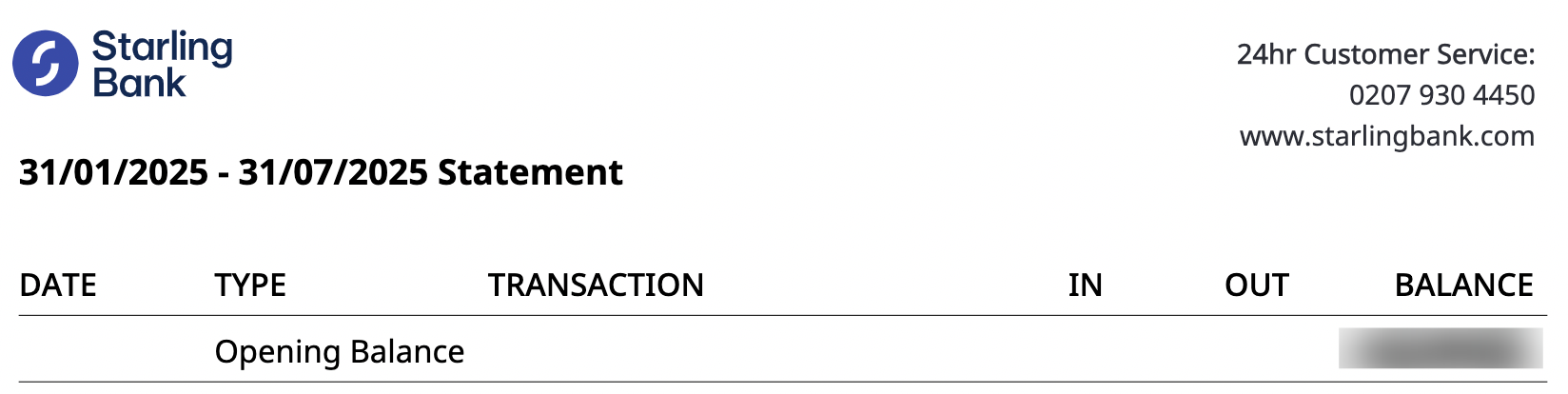
Page two onwards? No headers. Just data.

The table continues across hundreds of pages, but only the first page tells you what the columns mean. Every subsequent page is just rows of numbers and text with no labels.
Why This Breaks AI Tools
Most AI-based PDF extraction works page by page. Feed it page 47 of a Starling statement and it sees a table with no headers. It has to guess what each column represents.
Usually it can figure it out. Dates look like dates. Amounts look like amounts. But here's the edge case that trips things up:
What if page 47 only has outgoing transactions? The "Money In" column is empty for every row. Now the AI sees a table with four columns of data instead of five. Which column is which?
Or flip it - a page with only incoming transactions. Empty "Money Out" column. Same problem.
Without the headers, and with an empty column, the structure becomes ambiguous. A tool that doesn't maintain context across pages will misalign the data.
The Fix
The solution is to process the entire document as one unit, not page by page. Extract the headers from page one, then apply that structure to every subsequent page.
It sounds obvious, but plenty of tools don't do this. They treat each page as independent, which works fine for most banks but fails on Starling.
We learned this the hard way. Early versions of our parser handled each page separately. Worked great on Barclays, HSBC, NatWest. Fell apart on Starling business statements.
Now we maintain document context. Headers from page one carry through to page two hundred. Empty columns stay in place. The structure holds.
Modern Bank, Legacy Problems
It's a bit ironic. Starling is supposed to be the modern alternative to legacy banks. Clean app, instant notifications, all the fintech bells and whistles.
But their PDF statements have quirks that make them harder to parse than HSBC's mainframe-era output. Different problems, same result: you need bank-specific logic to handle them correctly.
That's the reality of UK bank statement parsing. Every bank is weird in its own way.
Got a Starling Statement?
Upload it and see the difference. First conversion free.
Convert a Statement